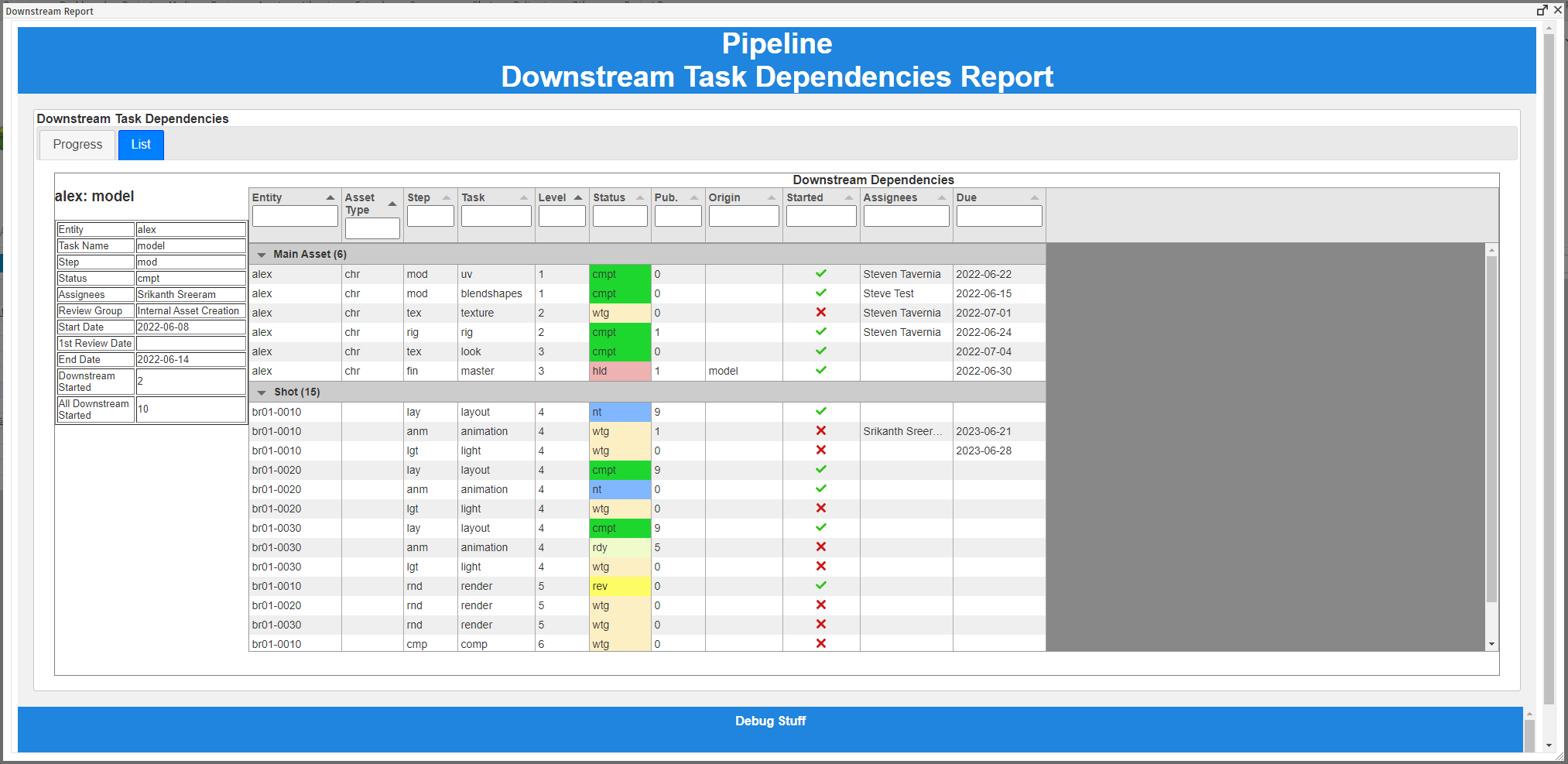
When you right click on a task, click on “Dependencies/Downstream Report” and you will see a list of all downstream dependencies for this task. This includes Direct and Lateral downstream dependencies, and will recurse down through all tasks.
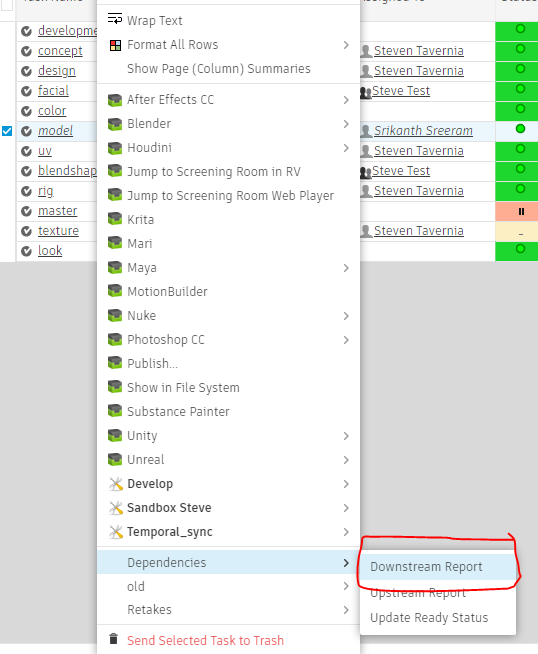
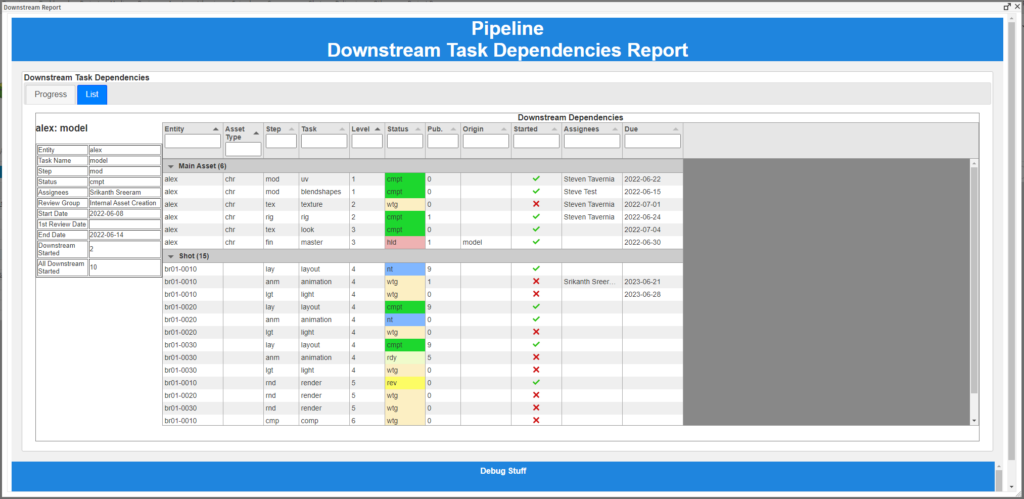
You will see some data about the task on the left, and the list of all downstream tasks on the right. Some data of note:
– (Recurse) Level: This shows many many levels downstream the task is from the selected task. For example, if the flow is model -> uv -> rig, and model is selected, uv is 1 level downstream and rig is 2 levels downstream.
– Started: This means that the task status is pending review, notes, in progress, complete, etc. If it’s not started, it needs to be waiting, ready, or na.
– Downstream Started: This shows you which (or how many) immediate downstream tasks have been started.
– All Downstream Started: This shows you which (or how many) downstream tasks have been started, including all downstream tasks (not just the next level)
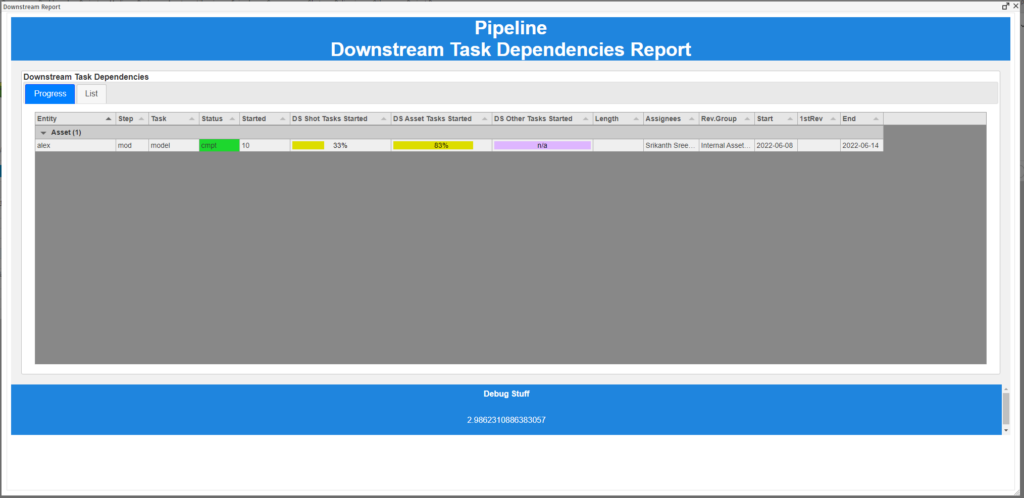
You can also choose to view the report as a list of progress bars as well. This will show you the percentage of downstream tasks that have been started.
Click on any progress bar to see a list of tasks that attribute to that bar.
Find out more about Dependencies on the wiki here: https://wiki.pistudios.com/wiki/Pipeline:LateralDependencies